Seamless Social Media Setup: Instagram, Twitter, Facebook, and LinkedIn on Huawei
Seamless Social Media Setup: Instagram, Twitter, Facebook, and LinkedIn on Huawei
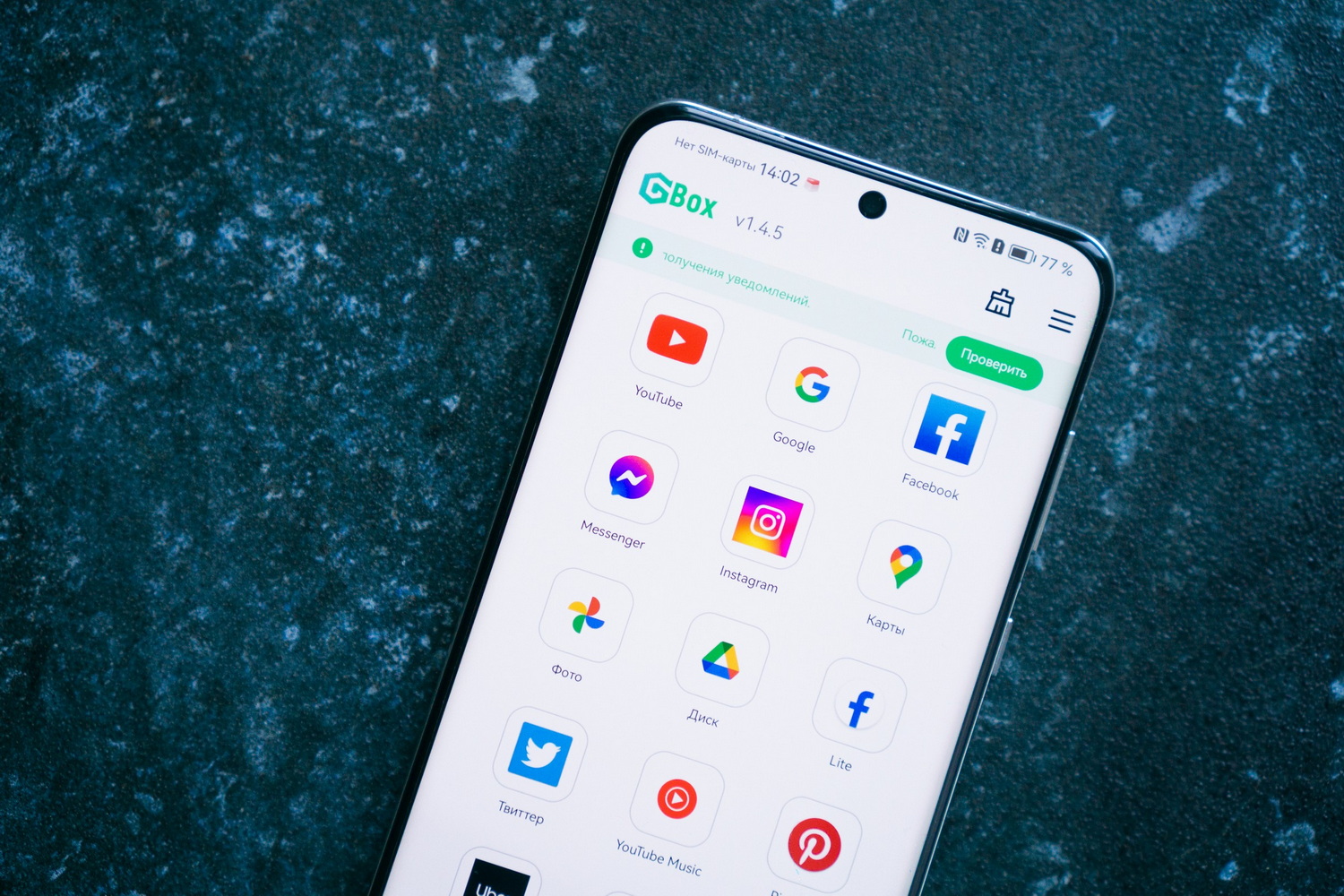
With the latest version of the free GBox emulator program, you can effortlessly download and use Instagram, Twitter, Facebook, and LinkedIn on your Huawei smartphone. This process is quick and straightforward, allowing you to enjoy these services without any restrictions. Here’s a step-by-step guide to installing popular social networks, using Instagram as an example.
Instagram: Find, Install, and Use
Instagram is one of the most popular social networks globally, widely used for communication and information sharing. Women make up about 60% of its users, and despite increased competition, Instagram’s audience remains high.
You can install the Instagram app directly from AppGallery using the GBox program. Follow these steps:
- Step 1: Open the AppGallery app store and search for “Instagram”.
- Step 2: Click “Install.” You will receive a notification that GBox needs to be installed if you haven’t done so already. Agree to install GBox, which will happen automatically after downloading the Instagram app, provided you are connected to a Wi-Fi network.
- Step 3: Download and open Instagram. You will receive a notification that GBox is not yet installed.
- Step 4: Install GBox. The system will redirect you to its page. Wait for the download to complete and open GBox.
- Step 5: Accept the user agreement and allow ignoring battery optimization for the correct operation of GBox.
- Step 6: Follow the instructions provided in the final step and enable the necessary permissions for the correct operation of the application.
- Step 7: Open Instagram. Initialization will take a few seconds. Accept the user data policy and log in to your account or create a new one.
After these steps, you can freely use Instagram with your existing or new profile. Huawei smartphone owners have access to the full functionality of the application without any restrictions.
Twitter, Facebook, LinkedIn: Now Even Easier
Now that you have installed GBox and Instagram, installing the remaining applications requires even fewer steps. For example, to install Facebook, you only need to enter its name in AppGallery, download and open it, then accept the user agreement and log in to your account. The system will offer to save the login data so you don’t have to enter it every time. All that’s left is to give the necessary permissions for the correct operation of Facebook, and you can use the service on your Huawei smartphone.
Similarly, you can install Twitter. Find it in AppGallery, download and open it, then create a new account or use an existing one. You can log in with your Google account, and the connection to the service will take just a few seconds. That’s it – you can now write tweets and communicate with friends.
You can do the same with LinkedIn. After finding the app in AppGallery, download and open it. Then choose one of the options – create a new account or log in to an existing one. There is also an option to log in through your Google profile, which will also take a few seconds. If this is the first time using your Google account on this device, you will need to enter your details and go through authorization if you use the same profile on another gadget. After that, you can freely use LinkedIn to develop your profile and expand your network of contacts.
What About Other Apps?
Huawei smartphone owners now have access to almost all applications. Most of them are already available in AppGallery. This applies to both global and local services: mobile banks, online taxis, delivery services, online stores, and many others. Everything else can be installed using Petal Search, a special search engine that searches across different sources.
Not everyone knows, but in AppGallery, you can create wish lists with an auto-installation function for applications so you don’t miss the moment when they become available. One account can be used on multiple devices: smartphone, tablet, monitor, and smartwatch. Moreover, AppGallery can be installed on a smartphone of any brand running the Android operating system.
GBox, on the other hand, is needed to install Google services and some other applications. It is enough to install the new version of GBox once, after which YouTube, Google Maps, and all popular social networks can be downloaded from AppGallery. Now everything has become much simpler and more convenient.
Importantly, GBox adheres to enhanced confidentiality. The application does not collect personal data and ensures their safety. It turns out that using Google services with GBox is even more reliable than without it.
Additionally, GBox allows you to run multiple copies of applications. This is especially convenient if you need to use different profiles simultaneously. At the same time, GBox itself does not contain ads, although, as we understand, they may be present within the downloaded applications.
For more information, you can visit the official Huawei website.