Why Adobe Photoshop Is a Game-Changer for Your Home Business
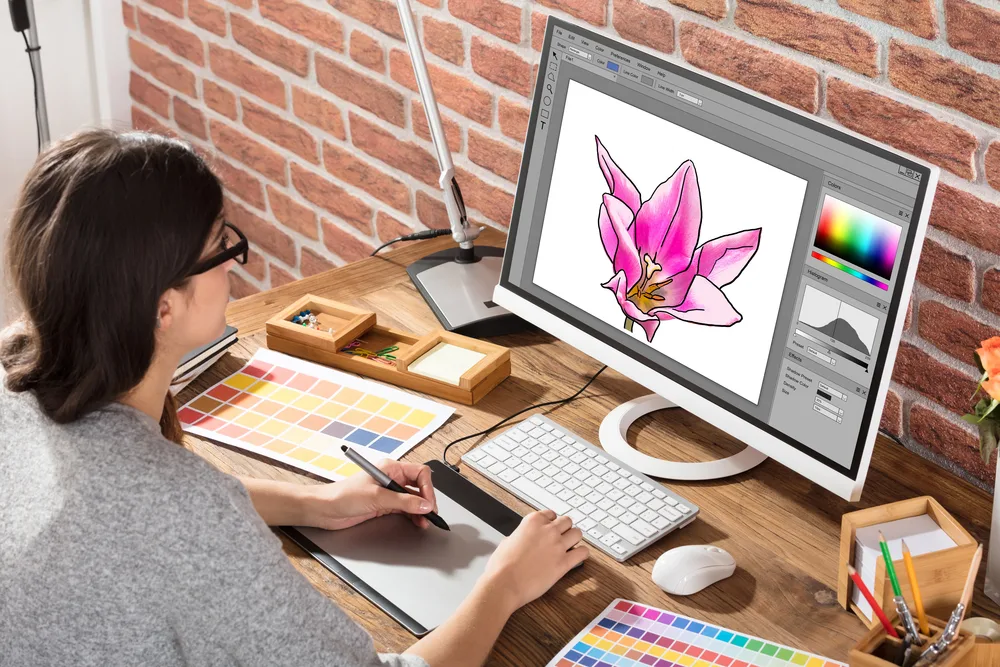
Is Photoshop Worth It for Your Home Business?
If you’re running a home-based business, you’ve probably asked yourself: Do I really need Photoshop? With so many tools and software options out there, it’s easy to feel overwhelmed. But here’s the truth—Adobe Photoshop isn’t just another program. It’s a powerful asset that can elevate your business, whether you’re selling products, creating content, or building a brand.
Why Technology Matters for Your Business
Over the past decade, technology has transformed the way we live and work. From AI and smartphones to cloud-based apps, the tools at our disposal have made running a business more efficient than ever. For home-based entrepreneurs, leveraging the right technology can mean the difference between struggling and thriving.
But with so many options—communication tools, project management software, design platforms, and more—how do you choose what’s worth your time and money? One tool that has stood the test of time is Adobe Photoshop. Despite its learning curve, it remains a top choice for professionals and small business owners alike.
How Photoshop Can Transform Your Business
1. Professional-Quality Image Editing
At its core, Photoshop is an image editing powerhouse. Whether you need to touch up product photos for your online store, create eye-catching graphics for social media, or design marketing materials, Photoshop gives you the tools to do it all.
Basic edits like cropping, color correction, and red-eye removal are just the start. Photoshop also allows you to:
- Remove or replace backgrounds to make your product images stand out.
- Apply textures, patterns, and effects to enhance visual appeal.
- Resize images for faster loading on your website or blog.
For example, if you take high-resolution photos with your DSLR, you can use Photoshop to compress them without losing quality. This ensures your website loads quickly, which is crucial for both user experience and SEO.
2. Advanced Design with Layers
One of Photoshop’s most powerful features is its layers system. Layers allow you to stack multiple images, text, or effects on top of each other, giving you complete control over your design. You can:
- Hide, show, or adjust individual layers without affecting the rest of your design.
- Blend layers to create unique effects, like gradients or overlays.
- Lock layers to prevent accidental changes.
Layers are especially useful for creating animated ads. If you’ve ever seen an online ad that cycles through different images, chances are it was made using Photoshop’s layer-based animation tools. With just a few clicks, you can design professional-looking ads that grab attention.
3. Consistent and Polished Branding
First impressions matter, and your visuals play a huge role in how customers perceive your business. Photoshop helps you maintain a consistent, polished look across all your marketing materials. You can:
- Enhance colors, brightness, and contrast to make your images pop.
- Remove blemishes or distractions from photos to keep the focus on your product.
- Create custom graphics that align with your brand’s style and messaging.
Whether you’re designing a social media post, a flyer, or a website banner, Photoshop ensures your content looks professional and cohesive.
Is Photoshop Too Expensive for a Small Business?
One of the biggest concerns for home-based entrepreneurs is cost. The full version of Photoshop can be pricey, with the desktop version costing around $260, and Adobe Photoshop Elements (a simplified version) running about $100. So, is it worth the investment?
Alternatives to Consider
If you’re not ready to commit to Photoshop, there are more affordable options. Canva is a popular choice for beginners. It’s free to start, with Pro and Business plans available for $18 and $25 per month, respectively. Canva offers a wide range of design templates, photo editing tools, and even video editing capabilities. For many small business owners, it’s all they need to create stunning visuals without the steep learning curve.
When to Invest in Photoshop
So, when does Photoshop make sense for your business? Consider it if:
- You’re already comfortable with basic design tools and want more advanced features.
- You need precise control over your images and graphics.
- You plan to create high-quality, custom designs for your business or clients.
Photoshop can also save you money in the long run. Instead of hiring a graphic designer for every project, you can create your own professional-quality images. Plus, with countless free tutorials and online communities, you can learn at your own pace.
Can Photoshop Help You Earn Extra Income?
Once you’ve mastered the basics, Photoshop can even become a source of additional revenue. Here’s how:
- Sell Your Designs: Create and sell digital art, templates, or stock images on platforms like Etsy or your own website.
- Offer Design Services: Use your skills to design logos, social media graphics, or marketing materials for other small businesses.
- Freelance Work: Many entrepreneurs and startups need help with graphic design but don’t have the budget for a full-time designer. You can fill that gap by offering freelance services.
Final Thoughts: Should You Use Photoshop for Your Business?
Photoshop isn’t just for professional designers—it’s a versatile tool that can benefit any home-based business. Whether you’re editing product photos, creating ads, or designing branding materials, Photoshop gives you the power to produce high-quality visuals that set your business apart.
If you’re on the fence, start with a free trial or explore alternatives like Canva. But if you’re serious about taking your business to the next level, investing in Photoshop could be one of the best decisions you make.
Have you used Photoshop for your business? Share your experiences in the comments—we’d love to hear from you!